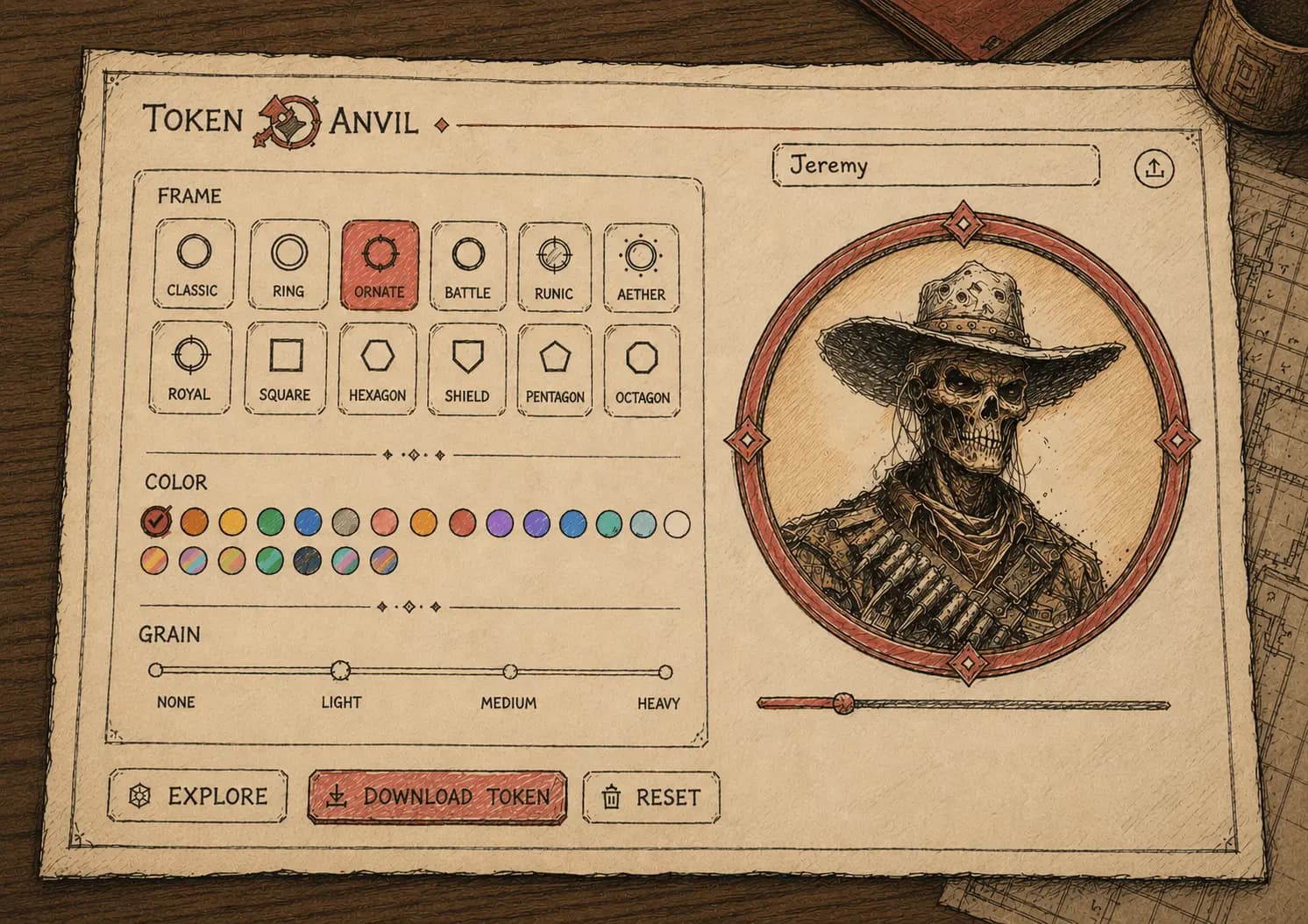
You found the perfect villain art ten minutes before the session starts. Now it needs to become a round token, at the right size, ready to drop on the VTT map. Open Photoshop and cut a circle in a rush? Not happening.
TokenAnvil handles that in seconds. Upload the portrait, pick the frame, export. No sign-up, nothing to install.
From portrait to token in 3 steps
1. Upload the portrait
Any image works: the NPC art, a screenshot, a sketch. TokenAnvil crops it into the circle for you, so you do not need to make it round beforehand.
2. Pick a frame and color
There are 12 frames and 20+ colors. The frame is not just decoration, it is quick information at the table: one color for allies, another for enemies, another for neutral NPCs, and everyone reads the map at a glance.
3. Export at your VTT's size
Export at 256, 512 or 1024px. The token comes out compatible with Foundry VTT, Roll20 and Owlbear, just drag it onto the map.
GM tip: standardize your frames
The biggest win is not a pretty token, it is a system. Set your frame colors once, say blue for ally, red for threat, gold for important, and keep it across the whole campaign. Your players learn to read the map on their own and you save yourself the explanation.
Fast because the table does not wait
Just like grabbing a name mid-session, making a token cannot become a pause. TokenAnvil is built to fit into those ten minutes before you start, or even mid-game, when an unexpected character needs to be on the map right now.